



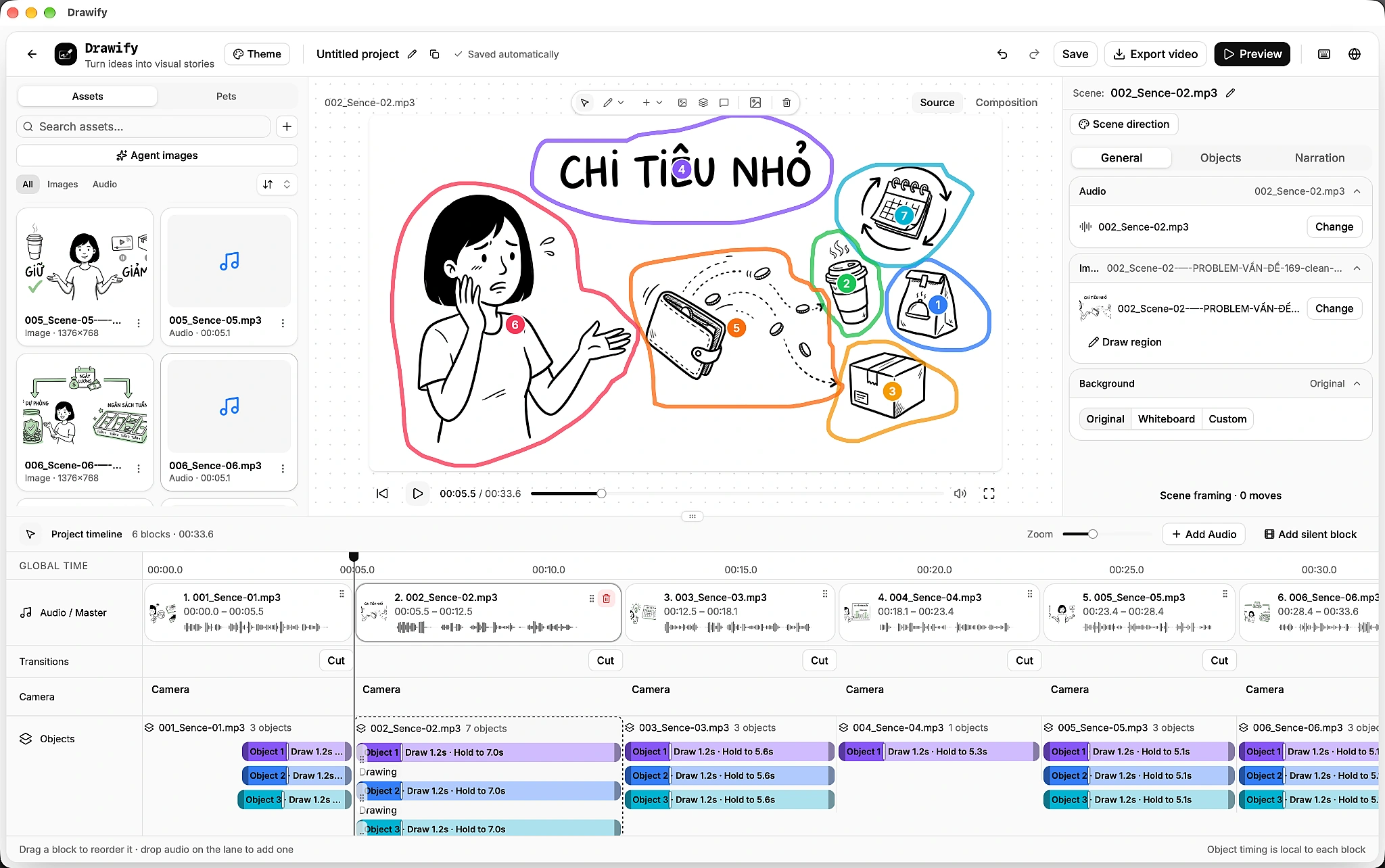
Organize local projects, use editing history and attach review notes to objects, times or canvas regions. — Choose image regions manually, highlight details and connect objects to show relationships.
Shape the story. Control the reveal.
Combine images, drawing-hand animation, editable text and charts. Control the timing, preview your scenes and export an MP4. Choose image regions manually, highlight details and connect objects to show relationships.
Scene Timeline
Editable Text
MP4 Export
Key Features
See all featuresDrawing Hand & DrawPlan
Choose a bundled drawing hand and adjust drawing order, duration weights and reveal radius.
Scene Timeline
Build audio or silent scenes. Set each visual’s start, drawing duration and lifetime alongside the narration waveform.
Editable Text
Write and style text directly in the scene, with whiteboard writing support and editable layout controls.
Animated Charts
Choose from 13 chart presets, edit structured data and reveal supported chart elements in stages.
Image Regions
Choose image regions manually, highlight details and connect objects to show relationships.
Animation Controls
Sequence fade, reveal, slide and scale actions. Guide attention with plan-dependent camera focus.
Local Projects
Organize local projects, use editing history and attach review notes to objects, times or canvas regions.
MP4 Export
Review the visual sequence, then export H.264 MP4 with audio through FFmpeg. The encoder must be available on your machine.
More AI tools for creators


Translate, subtitle, dub and localize video content for audiences around the world.


Create expressive AI speech, clone voices and build multi-voice audio workflows.